Tasks 📝
The Tasks tab defines the mining sequence for load units and trucks during the simulation. Tasks are processed in the order they are listed, with each load unit evaluating tasks sequentially to find one it can execute. Once a task is completed, the load unit will proceed to the next available task.
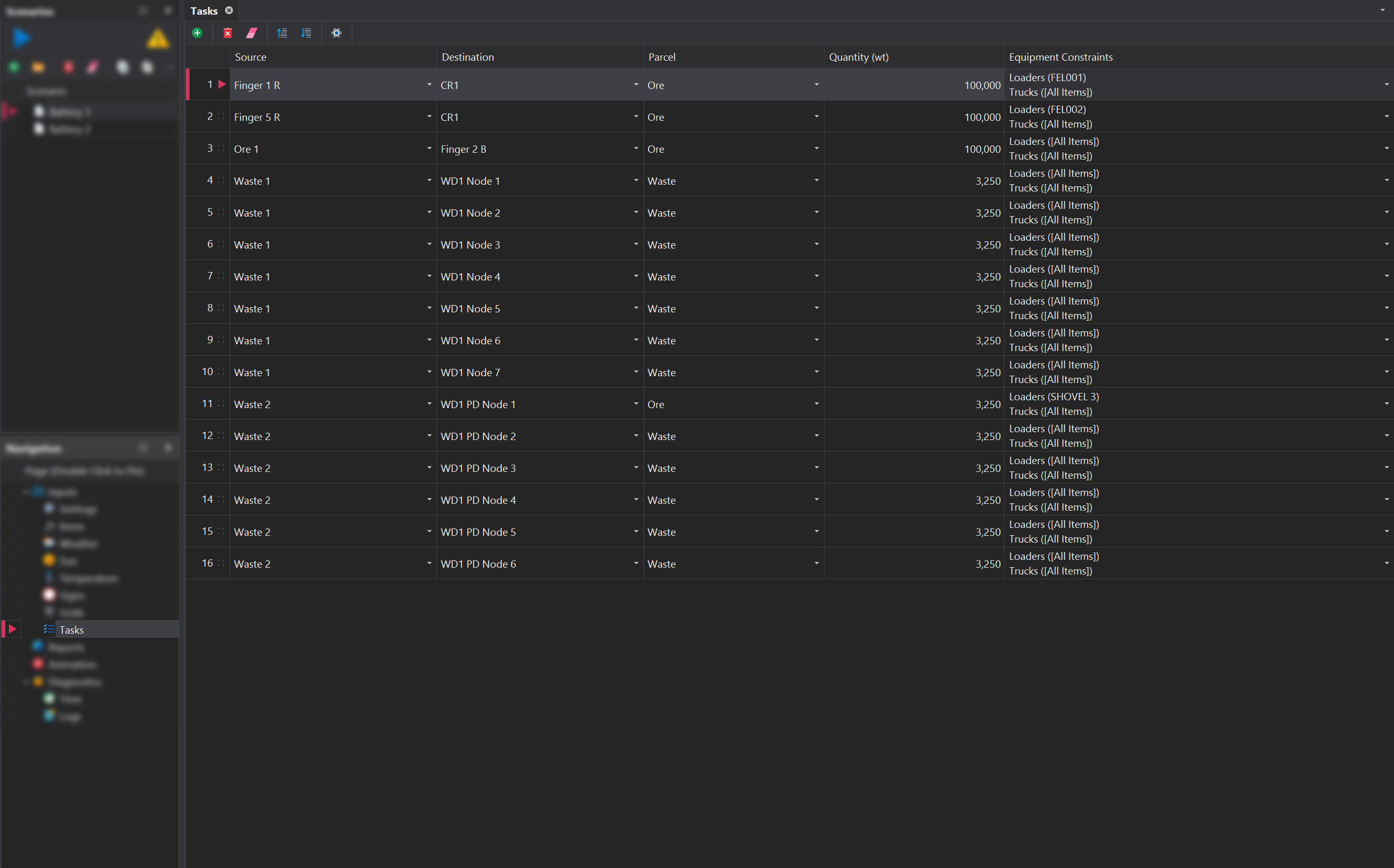
Tasks can be managed using the toolbar located at the top of the tab. Each Task that has been created needs to have the following properties specified.
| Property | Description |
|---|---|
| Source | The origin location of the material for the task. Options are populated from Source and Destinations step. |
| Destination | The destination of the material. Options are populated from Source and Destinations step. |
| Parcel | The parcel type being moved in the task. |
| Quantity | The quantity of material, in wet tonnes, to be mined from the source and delivered to the destination. |
| Equipment Constraints | The specific loaders and trucks that are permitted to execute the task. |
info
The order of Tasks are evalauted in the order they are listed. Ensure Tasks are ordered by priority.